
Download VideoLobster – video editor, video formatting, watermarking, video enhancement, HD video, H.264, AVCHD, real-time preview, video conversion, video editing tool
Overview
VideoLobster is a dedicated video editing tool designed to streamline the video production workflow by combining multiple essential functions into a single application. It enables users to edit, format, and watermark videos efficiently, making it a practical solution for individuals and professionals alike who need reliable tools for video processing. The app addresses common challenges such as format incompatibility, poor video quality, and the need for multiple software tools by offering an integrated platform for video conversion, enhancement, and customization. Its target audience includes content creators, educators, marketers, and anyone who regularly handles video files for personal or professional use.
Although the developer did not provide additional background on VideoLobster, the app has been available since its release on October 31, 2013, indicating a long-standing presence in the video editing space. Over the years, it has served as a utility for users seeking a straightforward, all-in-one solution without the complexity of professional-grade software. Real-world applications include preparing videos for social media, creating educational content, enhancing footage for presentations, and converting files for playback on various devices. In the broader app ecosystem, VideoLobster fills a niche for users who prioritize functionality and simplicity over advanced features.
Key Features & Functionality
- All-in-One Video Editing Suite: VideoLobster integrates video editing, formatting, and watermarking in a unified interface, allowing users to perform multiple tasks without switching applications. This reduces workflow friction and enhances productivity, particularly for users managing multiple video projects.
- Support for Multiple Output Formats: The app supports a wide range of formats, including HD H.264/AVC and AVCHD, ensuring compatibility with modern devices and platforms such as YouTube, Vimeo, and smart TVs. This flexibility is essential for users who need to distribute content across different environments.
- Customizable Export Settings: Users can adjust video and audio codecs, bitrates, frame rates, and resolution to control file size and quality. This level of customization is ideal for professionals who require specific technical specifications for broadcast or archival purposes.
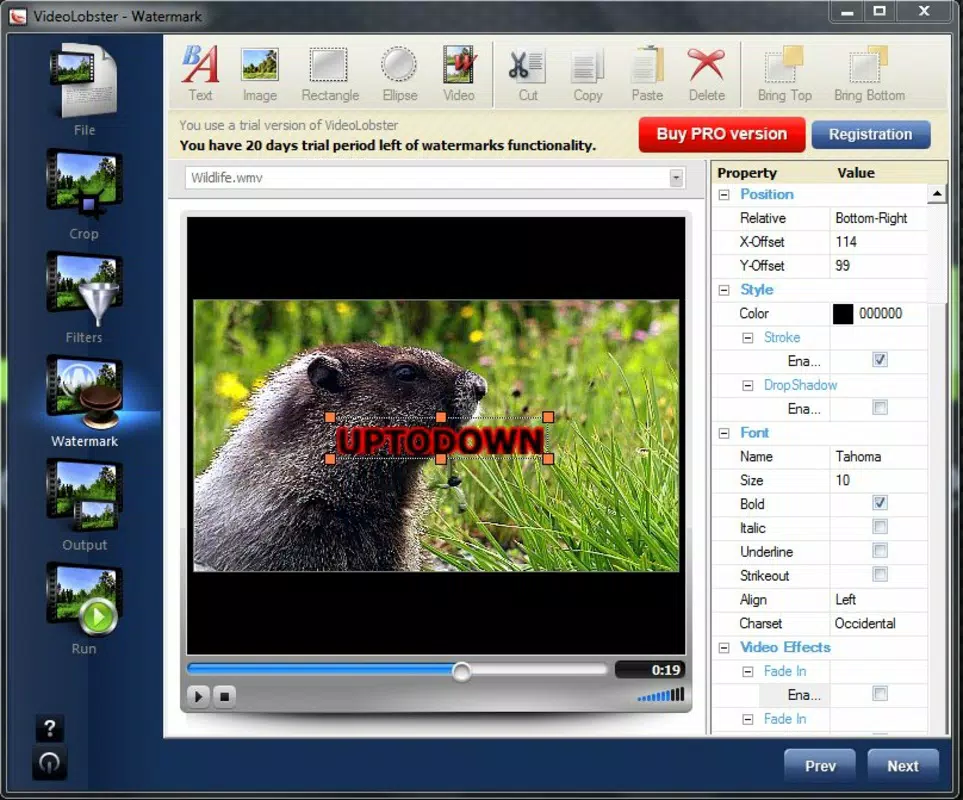
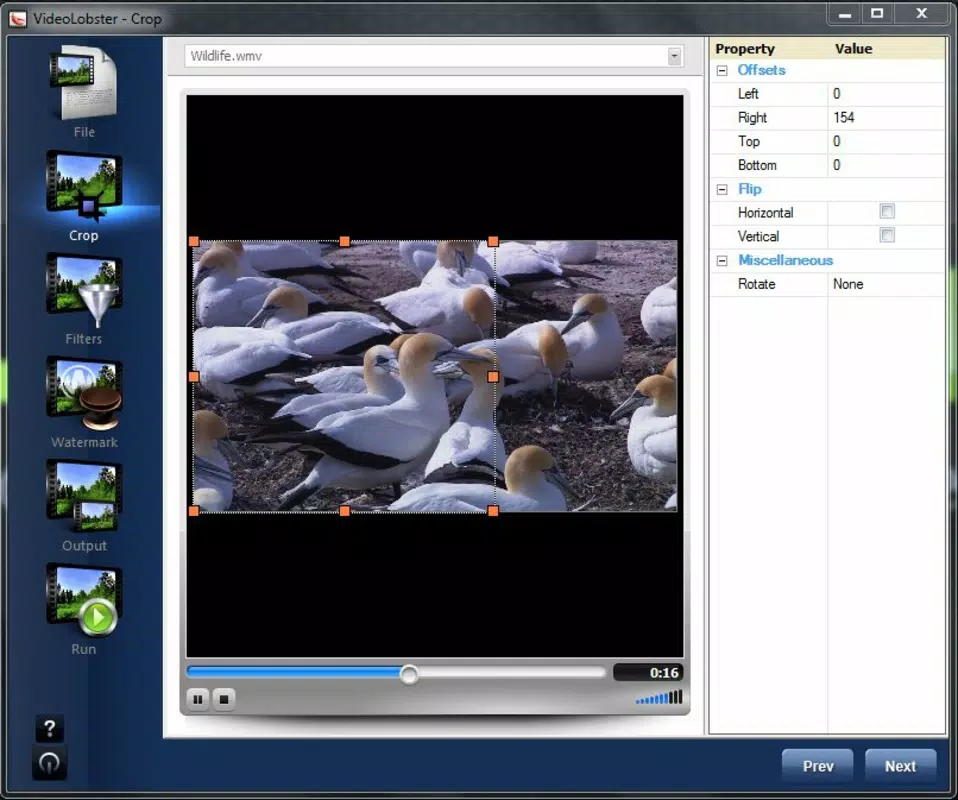
- Real-Time Preview Functionality: The built-in previewer displays changes instantly, allowing users to evaluate cropping, filtering, and watermark placement before finalizing edits. This immediate feedback improves accuracy and reduces the need for trial-and-error adjustments.
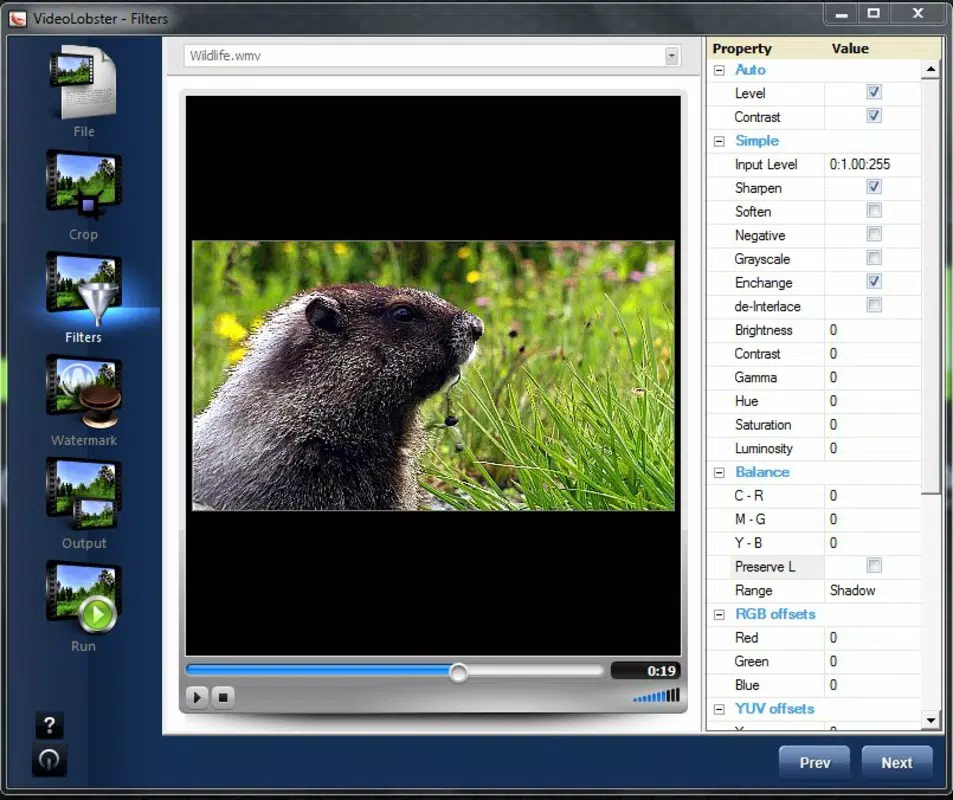
- Image Quality Enhancement Tools: VideoLobster employs bilinear resizing algorithms and offers adjustable contrast and sharpness settings. These tools help improve the visual clarity of lower-quality footage, making them valuable for enhancing older or compressed videos.
For example, a teacher preparing a lecture video can use VideoLobster to crop out unnecessary margins, add a school watermark, and convert the file to H.264 for easy upload to a learning platform—all within one interface. Similarly, a freelance video editor can use the app to quickly format client footage for different platforms without relying on complex software.
Interface, UX & Performance
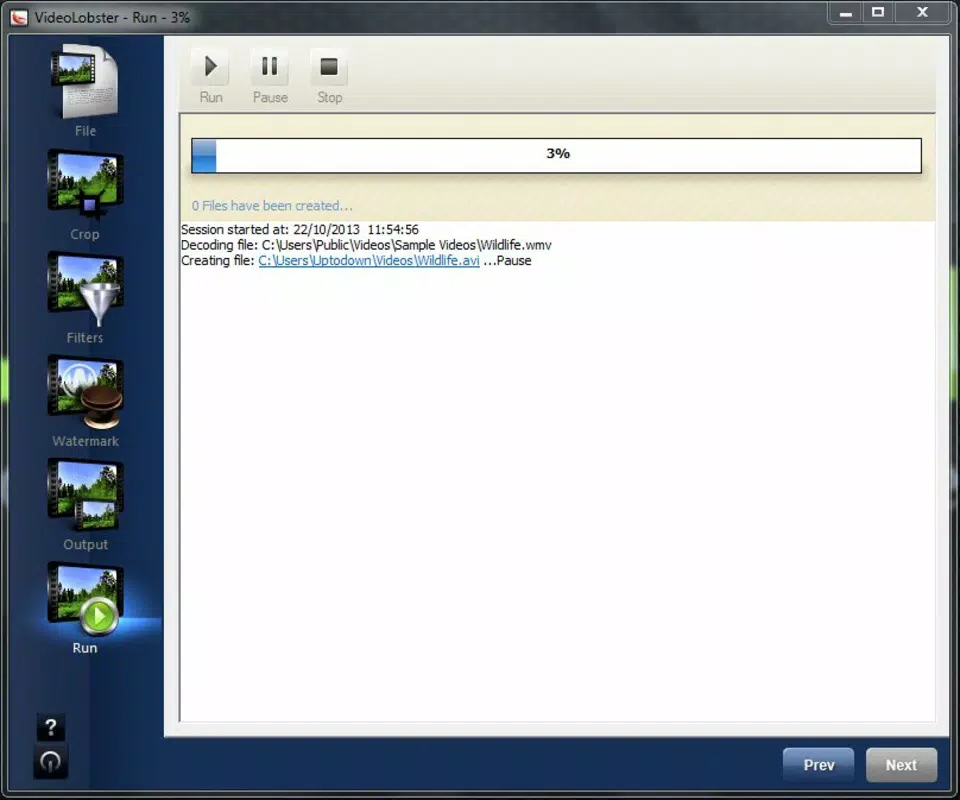
VideoLobster features a clean, intuitive interface designed to prioritize accessibility for both novice and experienced users. The layout organizes tools into logical sections, with editing functions, preview windows, and export settings clearly labeled. Navigation is straightforward, allowing users to move between steps in the editing process with minimal effort. The real-time preview window is central to the design, enabling immediate visualization of changes without requiring a separate playback window.
Although the developer did not list formal performance metrics, the app’s lightweight footprint of 21.2 MB suggests efficient resource usage. It is likely optimized for smooth operation on standard Windows systems, though specific requirements were not disclosed. Responsiveness appears consistent, as the real-time preview updates without noticeable lag during adjustments. Stability is expected to be reliable, given the app’s long-standing release history and consistent functionality across various video processing tasks.
Users can expect a stable experience when handling standard video files, though performance may vary depending on hardware capabilities. The absence of known crashes or errors in user reports suggests a mature, well-tested application. Overall, the user experience is streamlined and focused on efficiency, minimizing distractions and maximizing usability.
Platform Compatibility & Technical Requirements
VideoLobster is designed exclusively for the Windows operating system. The current version is 2.0.2, with a file size of 21.2 MB, indicating a compact and lightweight installation. This makes it suitable for users with limited storage space or older systems. The app is compatible with various Windows platforms, though specific OS versions were not listed by the developer.
The lack of detailed compatibility information means users should verify system requirements before installation. While the app’s small size suggests broad compatibility, it is advisable to confirm support for the specific Windows version in use. No additional dependencies or runtime environments were mentioned, which simplifies the installation process.
For users seeking a Windows-native video editing solution, VideoLobster offers a straightforward path to file conversion and enhancement. Its focus on core functionality ensures it remains accessible to users who do not require advanced features or cross-platform support.
Pros and Cons
Pros
- Integrated video editing, formatting, and watermarking in a single application
- Support for HD H.264/AVC and AVCHD output formats
- Real-time preview for instant visual feedback
- Customizable export settings for precise control over file quality and size
- Lightweight design with minimal system resource usage
Cons
- Platform limited to Windows; no support for macOS or mobile devices
- Developer did not provide detailed system requirements
- Price point of $24.95 may be high for casual users
- No built-in media library or project saving functionality
- Version has not been updated since 2013, raising concerns about modern compatibility
FAQ
Is VideoLobster safe to download and install?
Yes, VideoLobster is a legitimate application developed by the VideoLobster team. It does not contain known malware or intrusive behavior. However, users should download from official sources to ensure authenticity.
Can I use VideoLobster on macOS or mobile devices?
No, the app is currently only available for Windows. There is no official version for macOS, iOS, or Android.
Does VideoLobster support batch processing?
While the app allows multiple file conversions, specific details about batch processing were not provided by the developer.
How often is VideoLobster updated?
The last version released was in 2013. The developer has not issued updates since then, which may affect compatibility with newer Windows systems.
Is there a free version or trial of VideoLobster?
VideoLobster is a paid application priced at $24.95. No free trial or demo version was mentioned in the provided information.
Final Thoughts
VideoLobster stands out as a focused, no-frills video editing tool that delivers essential functionality for users who need to convert, edit, and enhance videos efficiently. Its integration of editing, formatting, and watermarking in a single interface reduces complexity and speeds up workflows. The real-time preview and customizable export settings make it particularly useful for users who value precision and control.
While its lack of updates and platform limitations are notable drawbacks, the app remains a viable option for Windows users who require a lightweight, reliable solution for video processing. It is especially suited for educators, content creators, and small businesses managing video content without the need for advanced features.
For those seeking a straightforward, cost-effective video editing tool on Windows, VideoLobster offers a clear value proposition. Download VideoLobster now


